
Free Windows 10 Product Keys [Where to Look First]
Before paying for a Windows 10 product key, check whether you already have one. Many PCs use a digital license or store the original key inside the device firmware, so there may be nothing new to buy.
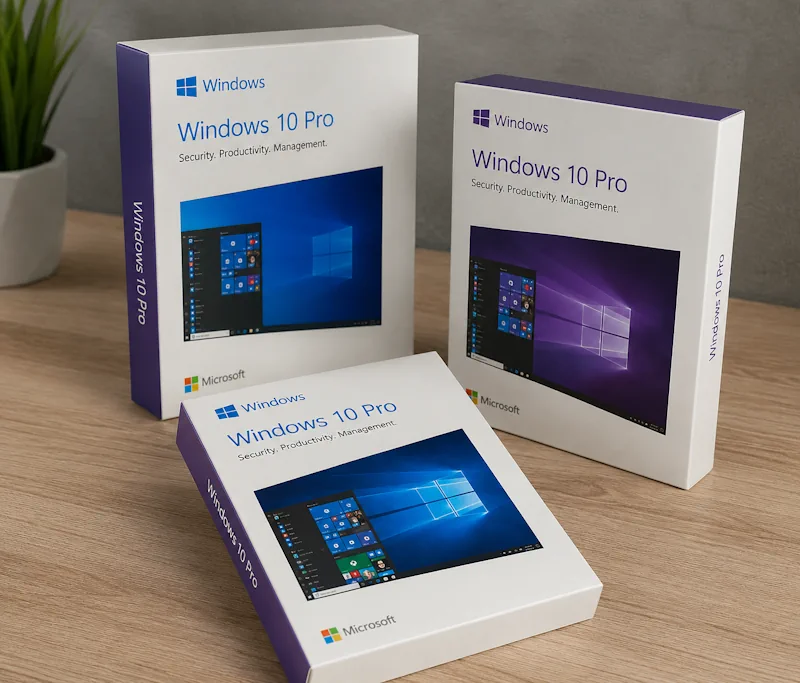
You can also find Windows 10 access through an old retail purchase, a school software portal, a developer subscription, a licensed second-hand PC, or an occasional hardware bundle or giveaway.
Check for an Existing Digital License
A Windows 10 digital license activates the computer without requiring you to type a 25-character key.
Open:
Settings > Update & Security > Activation
Look for one of these messages:
Windows is activated with a digital license
Windows is activated with a digital license linked to your Microsoft account
If the PC already has a digital license, you can normally reinstall the same Windows edition without searching for a new key. During setup, click:
I don't have a product key
Install the same edition that was previously activated, such as Windows 10 Home or Windows 10 Pro. After the PC connects to the internet, Windows should recognize the hardware and activate automatically.
This is usually the fastest free option for a previously activated computer.
Look for a Key Stored in the PC Firmware
Computers originally sold with Windows may have an OEM product key stored in UEFI firmware.
Open PowerShell and run:
(Get-CimInstance -ClassName SoftwareLicensingService -Property OA3xOriginalProductKey).OA3xOriginalProductKey
If the device contains an embedded key, PowerShell should display a 25-character code.
An empty result does not necessarily mean that Windows has no license. The PC may use a digital license instead, or the manufacturer may not have stored an individual key in the firmware.
The embedded key normally belongs to the original computer and activates the Windows edition supplied with it.
Check Your Microsoft Account and Old Emails
A Windows 10 key or digital license may already be attached to an old purchase.
Search your email for:
Windows 10
Microsoft order
Product key
Digital download
Software purchase
Also check the order history of the Microsoft account used when Windows was purchased.
If Windows came from an online retailer, open the retailer’s digital software library or order history. Microsoft states that product keys may be available in a purchase confirmation email or the retailer’s digital locker.
Check every email address you may have used for software purchases. Old Windows licenses are often forgotten in accounts that are no longer used regularly.
Check Old Windows Boxes and Product Cards
A boxed Windows 10 copy normally includes the key on a card or label inside the package.
Look through:
Old software boxes
Computer documentation
Product key cards
Purchase receipts
Repair shop paperwork
Photos of activation labels
Emails from local computer stores
The key has this format:
XXXXX-XXXXX-XXXXX-XXXXX-XXXXX
Do not confuse the product ID shown in Windows system information with the activation key. A product ID is not normally usable for activation.
Reuse an Existing Retail Windows 10 License
A retail Windows license is the most useful type when moving Windows to another computer.
If you purchased a full retail copy in the past and no longer use it on the original PC, you may be able to activate another machine with that key. The old installation should no longer be using the same license.
OEM licenses supplied with laptops and prebuilt desktops are normally associated with the original device. For that reason, an OEM key found on an old laptop should generally be used with that laptop, while a retail license is the better option for moving between computers.
After installing Windows 10, enter the key at:
Settings > Update & Security > Activation > Change product key
If the hardware was recently changed, use the Activation troubleshooter and sign in with the Microsoft account connected to the digital license.
Check Your School or University Software Portal
Students and teaching staff may have access to Microsoft software through their institution.
Sign in to your university or school software portal and search for:
Windows 10 Education
Microsoft Azure Education Hub
Azure Dev Tools for Teaching
Microsoft software
OnTheHub
Availability depends on the institution and the software catalog assigned to your account. Azure Dev Tools for Teaching gives eligible students and faculty access to selected Microsoft developer tools and software at no additional cost.
The available edition may be Windows 10 Education rather than Home or Pro. Use the exact edition covered by the key shown in your account.
Check Visual Studio Subscription Benefits
Some Visual Studio subscriptions include Windows downloads and product keys for development and testing.
Sign in to the Visual Studio subscription portal and open:
Downloads
or:
Product Keys
Search for Windows 10 and check which editions are available.
Microsoft says Visual Studio subscriptions commonly provide several keys for current and older Microsoft products, although the exact catalog depends on the subscription level.
This option is effectively free if your employer, development team, or school has already assigned you a subscription.
Ask Your Employer or IT Department
A company may already provide software licenses, test environments, virtual machines, or Visual Studio subscriptions to employees.
Ask the IT department whether your account includes:
A Windows test license
A Visual Studio subscription
A company-managed virtual machine
Access to a software download portal
A spare licensed test computer
Do not copy a product key from another company PC. Request a license or test system assigned specifically to you.
Buy a Used Retail Copy
A second-hand Windows 10 retail package can cost less than a new license.
Look for listings that include:
The original Windows box
The product key card
A readable license label
The installation USB or disc
The original invoice, when available
Confirmation that the license is no longer used on another PC
A physical retail package is easier to verify than a seller who sends only a key through chat or email.
Make sure the edition matches what you need. A Windows 10 Home key activates Home, while a Windows 10 Pro key is required for Pro.
Buy a Licensed Used or Refurbished PC
Sometimes the cheapest way to get both hardware and Windows is to buy a used or professionally refurbished computer with Windows already activated.
Before paying, open:
Settings > Update & Security > Activation
Confirm that Windows shows as activated.
Also check:
Settings > System > About
Note whether the installed edition is Home, Pro, or Education.
A license included with a used OEM computer normally stays with that computer. This is useful for a physical test machine, but it does not mean the key can be removed and used on an unrelated PC.
Watch for Hardware Bundles and Giveaways
Windows licenses sometimes appear in promotions connected to:
PC building events
Computer shops
Technology conferences
Hardware bundles
Developer communities
University events
Authorized retailer promotions
PC manufacturer campaigns
Only enter giveaways hosted by an identifiable company, retailer, school, developer group, or event organizer.
A normal giveaway should provide a product key, retail package, digital purchase, or licensed computer. It should not require you to install an activation program, disable antivirus protection, run an unknown script, or give someone remote access to the PC.
Ask Friends or Family About Unused Retail Copies
Someone you know may have an old boxed retail copy that is no longer installed anywhere.
Ask whether they still have:
An unused Windows 10 retail package
A spare product key card
A license removed from a retired custom-built PC
A sealed copy received with computer hardware
A transferable retail license can be useful, but an OEM license from an old branded laptop or desktop normally belongs with that original device.
Do Not Mistake Generic Keys for Activation Keys
Some Windows keys published online are generic installation keys. They can help Windows setup select an edition, but they do not provide a personal digital license and normally will not permanently activate the system.
The same applies to KMS client setup keys used in managed organization environments. Finding one on a Microsoft documentation page does not mean it is a free retail activation key.
Always check the result under:
Settings > Update & Security > Activation
The page should clearly state that Windows is activated.
Installing Windows 10 for a Quick Test
For a temporary software or hardware test, start Windows setup and choose:
I don't have a product key
Select the required Windows edition and finish the installation.
If that computer already has a matching digital license, activation may happen automatically after it connects to the internet. If it has never been activated, you can still complete the installation and enter a key later through the Activation settings.
This lets you confirm that the program, driver, or device works before spending money on another license.
Bypassing the license
Also, to activate Windows 10, as an example, you can use different kms activators such as kmspico, kmsauto and similar programs. But this should be done only in test experiments. For continuous use of programs, it is better to buy licenses from suppliers.
Best Places to Check First
Start with the computer’s Activation page. If it already has a digital license, reinstall the matching edition and skip the product-key screen.
Next, check the PC firmware, your Microsoft account, retailer accounts, old emails, Windows boxes, and product cards.
Students should check their school software portal. Developers should check their Visual Studio subscription. For a separate test computer, consider a used retail copy or a refurbished PC with Windows already activated.
These options are more reliable than searching random key lists, and there is a good chance that one of your existing accounts or devices already includes the Windows 10 activation you need.